
Open „Windows Defender Firewall with Advanced Security“, create a new inbound rule of type „Port“, enter protocol and port number and allow the connection. Windows Server blocks incoming connections by default, so every service you want to reach from outside needs such a rule.
Example: you run a Minecraft server on your Windows Server. Other players can only connect once port 25565 is open in the Windows Firewall. On our side nothing blocks the port, see Are all ports open?, the rule in Windows is up to you.
Common ports
| Application | Protocol and port(s) |
|---|---|
| Minecraft server | TCP 25565 |
| TeamSpeak | UDP 9987 TCP 30033 |
| Web server | TCP 80, 443 |
| CS2 server | TCP 27015-27030, 27036-27037 UDP 4380, 27000-27031, 27036 |
| RDP | TCP 3389 |
More ports are listed in What are the standard ports?
Step by step in the firewall console
- Connect to your Windows Server as Administrator, see Windows Server: Quick Start Guide.
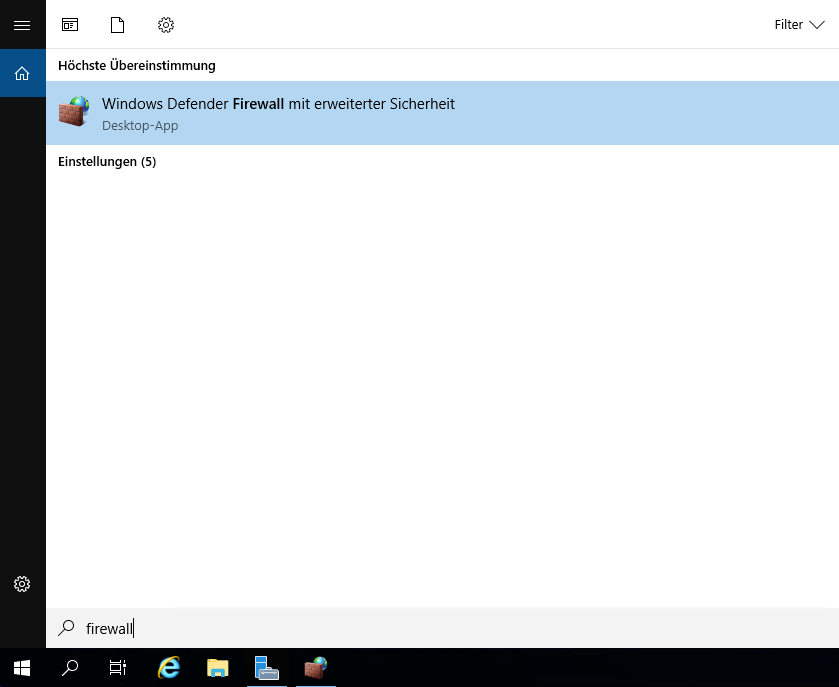
- Search for „Firewall“ in the Start menu and open „Windows Defender Firewall with Advanced Security“.
- Right-click „Inbound Rules“ on the left and select „New Rule“.
- Choose the rule type „Port“ and click „Next“.
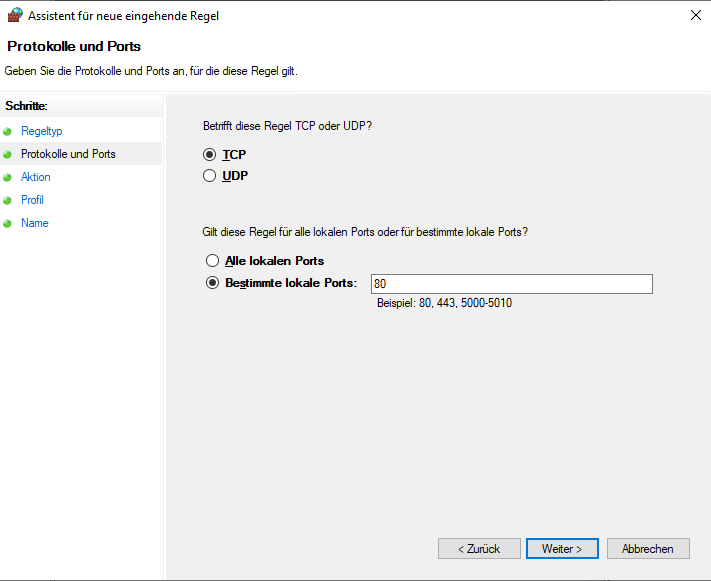
- Select „TCP“ or „UDP“ and enter the port numbers under „Specific local ports“, for example
25565. Several ports are separated by commas, ranges are written as50000-51000. Click „Next“.
- Choose „Allow the connection“ and click „Next“.
- Leave all profiles checked and click „Next“.
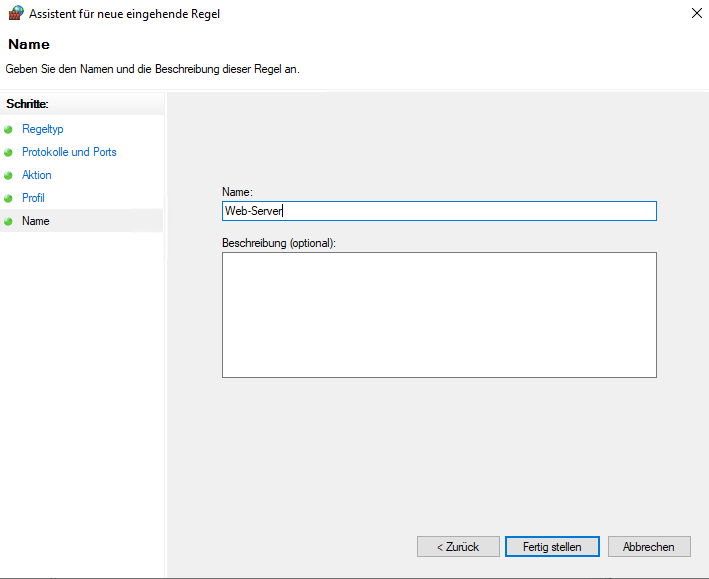
- Give the rule a name, ideally the application, for example „Minecraft Server“, and click „Finish“.
The rule takes effect immediately, a restart is not needed.
Faster with PowerShell
In a PowerShell window started as Administrator, one line creates the same rule:
New-NetFirewallRule -DisplayName "Minecraft Server" -Direction Inbound -Protocol TCP -LocalPort 25565 -Action AllowFor UDP, replace TCP with UDP. If an application needs both, create two rules.
Common pitfalls
- Wrong protocol: Many game servers and TeamSpeak need UDP. A TCP rule alone does not help them.
- Port open, still no connection: Check whether the service is listening at all:
netstat -ano | findstr :25565. No output means the program is not running or uses a different port. - Locked out after a firewall change: If you blocked RDP by mistake, log in via VNC and fix the rule.
 EN:
Open a Port in Windows Firewall
EN:
Open a Port in Windows Firewall